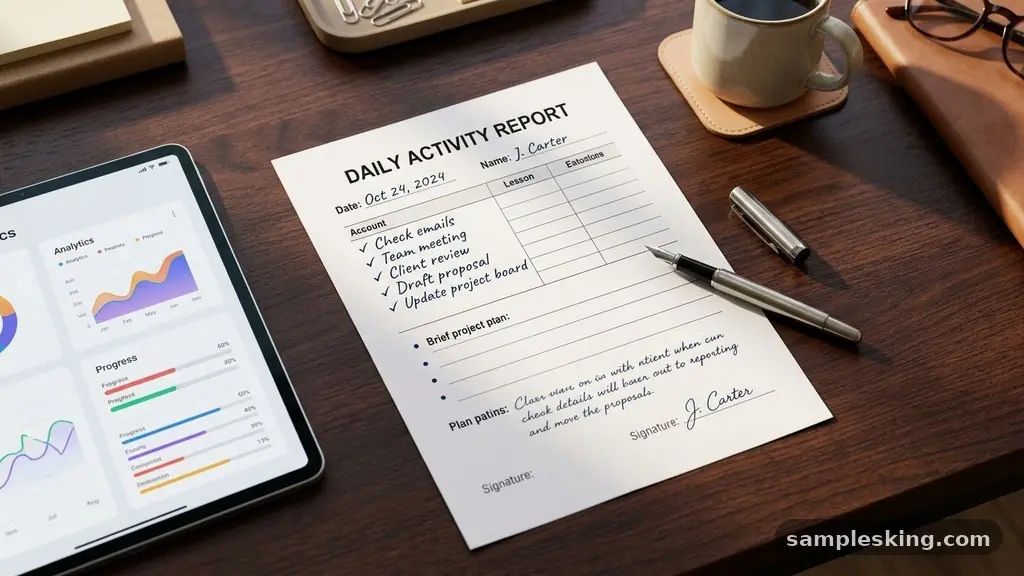
Implementing a consistent daily activity report format with a completed sample provides teams with a clear baseline for tracking progress and identifying bottlenecks. By standardizing how information is captured, organizations improve transparency and ensure that individual contributions align with broader project goals. This practice minimizes ambiguity, allowing managers to assess performance metrics without needing constant check-in meetings.
Whether you are managing a remote team or overseeing complex operational tasks, adopting a structured reporting method is essential for maintaining high levels of workflow efficiency. In this article, we explore how to build and maintain these reports to drive better results and foster a culture of accountability across your department.
Core Components of Effective Reporting
A functional daily report requires more than just a list of tasks completed; it needs context. Effective documentation relies on balancing brevity with enough detail to explain why certain actions were taken.
When you design your reporting structure, prioritize clarity and consistency so that every team member follows the same logic. This reduces the cognitive load on managers who must review dozens of updates throughout the week.
The most successful reporting structures typically include a section for completed items, a section for upcoming priorities, and a space for addressing blockers. By separating these categories, you allow stakeholders to scan for the information most relevant to them.
For example, a project manager might skip the task list to look directly at the blocker identification section. Providing this level of granularity ensures that your professional documentation remains useful for everyone involved.
Designing the Standardized Template Structure
The layout of your report should be intuitive and repeatable. Start with a header that includes the date, the employee name, and the specific project or department name.
Following the header, create a clear, bulleted area for tasks finished during the shift. This creates a predictable flow that makes data entry faster for the employee and data extraction easier for the reviewer.
Consistency in the template structure is key to long-term adoption. If the format changes every week, team members will struggle to maintain the discipline required for daily updates.
Use a clean, minimalist design that avoids unnecessary clutter. You can find more information on best practices for tracking work at the Project Management Institute to further refine your internal documentation standards.
A Practical Example of a Daily Report
To visualize how this works, consider a scenario where a software developer is documenting their progress on a new feature deployment. The goal is to provide enough detail so that a supervisor understands exactly what was finished and what remains on the horizon. Below is a representation of how this information appears in a professional setting.
| Category | Details |
|---|---|
| Date | October 24, 2023 |
| Completed Tasks | Finalized API endpoints for user authentication. |
| Key Deliverables | Unit test coverage increased to 95%. |
| Blockers | Waiting for server access credentials from IT. |
| Next Steps | Begin integration testing on the staging environment. |
This format is effective because it forces the writer to be specific. Instead of writing “worked on code,” the developer notes “finalized API endpoints.” This level of specificity is what makes the report a tool for genuine insight rather than just a chore.
The Role of Task Management and Productivity
Integrating daily reporting into your existing task management software creates a seamless feedback loop. When employees link their reports to specific tickets or milestones, the data becomes actionable.
Managers can see real-time progress without having to manually compile information from multiple sources. This connection between daily logs and high-level tracking is the foundation of high-performing teams.
Productivity often dips when communication channels become cluttered with vague emails or status updates. By moving to a standardized report, you eliminate the need for long-form explanations.
Focus on metrics that matter, such as the completion of key deliverables and the resolution of pending issues. This shift in focus encourages team members to prioritize high-impact work over busy work.
Identifying and Addressing Blockers
Blocker identification is perhaps the most critical section of any daily report. If a team member is stuck, the report serves as an early warning system.
Without this specific section, issues can linger for days, leading to missed deadlines and unnecessary stress. Reporting a blocker is not a sign of failure, but rather a professional necessity to keep the project moving.
When an employee identifies a blocker, they must also provide a brief explanation of what is required to resolve it. Is it a missing document? A technical dependency?
A hardware failure? By providing this context, the manager can step in to provide support or reallocate resources. This proactive approach significantly improves overall workflow efficiency and team morale.
Standardizing Performance Metrics
Measuring performance requires consistent data points across all members of a department. By using a standard report format, you can track trends over time.
For example, if you notice that a specific team consistently reports blockers related to the same software tool, you know exactly where to invest in training or upgrades. These metrics provide an objective basis for performance reviews.
Accountability is greatly enhanced when data is transparent. When everyone on the team can see the progress of their peers, it fosters a sense of shared responsibility.
This does not mean comparing individuals against one another in a negative light. Instead, it creates a transparent environment where everyone understands how their work contributes to the success of the whole team.
Improving Team Communication
Daily status updates act as the glue that holds distributed teams together. In environments where face-to-face interaction is limited, these reports provide the necessary visibility to keep everyone aligned.
They ensure that communication remains professional and focused on outcomes. When team members know what to expect from each other, coordination becomes more efficient.
Clear communication also reduces the need for frequent, disruptive meetings. If a manager can see the daily status of a project in their inbox, they do not need to call a meeting just to ask for an update.
This gives the team back valuable hours of deep work time. Respecting this time is a sign of a mature and well-managed organization.
Resource Allocation and Future Planning
Managers use the data from these reports to make informed decisions about resource allocation. If reports show that a team is consistently overloaded, it might be time to bring in additional help.
Conversely, if reports show that a project is ahead of schedule, resources can be redirected to other areas. This dynamic approach to management is only possible with accurate, timely data.
Planning for the future becomes much easier when you have a history of completed tasks to review. You can look back at previous months to estimate how long similar projects will take in the future.
This reduces the guesswork involved in setting project timelines and managing client expectations. By building a repository of these reports, you create an invaluable knowledge base for the entire organization.
Frequently Asked Questions
What is the best frequency for submitting these reports?
The most common and effective practice is to submit reports at the end of each workday. This ensures that the information is fresh and that the next day’s planning can be adjusted based on current progress.
How detailed should the task descriptions be?
Descriptions should be specific enough that a manager understands the status of a task without asking follow-up questions. Avoid generic phrases like “worked on X” and instead use action-oriented verbs like “completed,” “tested,” or “finalized.”
Should these reports be shared with the whole team?
In most cases, transparency is beneficial. Sharing reports within a team allows everyone to stay informed about project progress and identify opportunities to help one another with potential blockers.
What if an employee has nothing to report for a day?
An empty report is a red flag that usually indicates a lack of clarity or a major blocker. If an employee cannot list any tasks, it is an opportunity for the manager to step in and reset expectations or provide additional guidance.
How do I handle sensitive information in these reports?
If a report contains proprietary or sensitive data, use internal secure channels or password-protected documents. You can also sanitize the reports by removing specific financial or client-sensitive details while still reporting on general progress.
Streamlining Your Reporting Process
Implementing a formal daily activity report format with a completed sample is an investment in your team’s long-term success. While it may take a few weeks to build the habit, the benefits in transparency and efficiency are profound.
Start by choosing a simple template and encouraging your team to fill it out consistently. Over time, refine the process based on the feedback you receive from your staff.
Remember that the goal of these reports is to provide clarity, not to create a culture of surveillance. When used correctly, they empower employees to take ownership of their work and give managers the data they need to support their teams effectively.
Begin your implementation today by setting clear expectations and providing a clear, actionable example for your team to follow. Consistent reporting will naturally lead to more predictable outcomes and a more cohesive working environment for everyone involved.