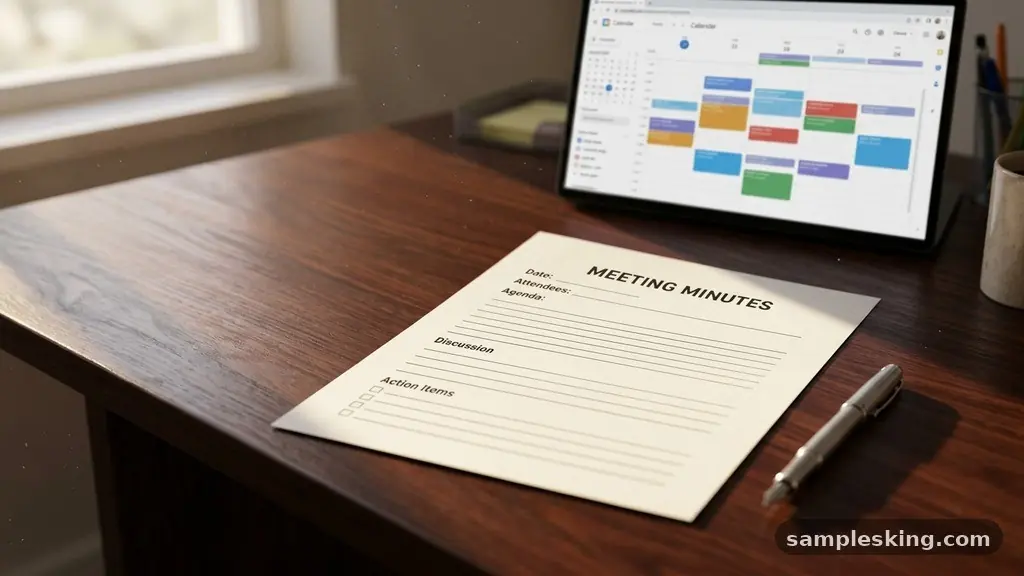
Using a high-quality meeting minutes template with a step-by-step example is one of the most effective ways to ensure your organization remains accountable and organized. Many professionals struggle to balance capturing every detail while keeping notes concise enough for quick review.
By following a structured approach, you can transform a chaotic discussion into a clear, actionable record of proceedings that keeps your team aligned. This article explores how to build a professional document that serves as a reliable historical reference while streamlining your administrative workflow.
Defining the Purpose of Formal Records
Meeting minutes serve as the official, legal record of what occurred during a gathering. They are not intended to be a transcript of every word spoken, but rather a summary of the decisions made and the tasks assigned.
When you maintain a consistent format, you provide transparency for stakeholders who were unable to attend the session. This clarity is vital for maintaining organizational memory, especially in environments where staff turnover or project shifts are common.
A well-structured record protects the organization by documenting the rationale behind major decisions. If a dispute arises months later, the minutes provide the definitive account of the motion, the second, and the final vote.
Without this, teams often rely on faulty memories, leading to friction and confusion. By formalizing your process, you ensure that everyone is operating from the same set of facts.
The Anatomy of an Effective Document
Every professional record should contain specific elements to be legally and operationally sound. Start with the basics: the name of the organization, the date, the time, and the location of the meeting.
You must also include an accurate attendees list, noting who was present, who was absent, and whether a quorum was established. If you fail to verify a quorum, any votes taken during the session may be technically invalid.
The body of the document should follow the structure of your pre-distributed agenda items. Each heading should correspond to a topic discussed, followed by a summary of the debate and the final outcome.
Use clear, objective language that focuses on results rather than individual opinions. If a formal vote occurred, record the count of the motion and the secondary support clearly.
A Practical Walkthrough
To understand how to implement a meeting minutes template with a step-by-step example, consider a standard board meeting. You begin by documenting the call to order at the precise time the chair strikes the gavel.
Next, you record the approval of previous minutes and the adoption of the current agenda. This establishes a baseline of order before moving into the core business of the day.
As the discussion progresses, focus on the decision log. If the board discusses a budget increase, you do not need to record every argument for or against it.
Instead, document the final motion, the name of the person who made it, and the result of the vote. This keeps the document lean and forces participants to focus on tangible outcomes rather than endless debate.
Handling Motions and Voting Procedures
Formal organizations often adhere to Robert’s Rules of Order to maintain decorum during discussions. When a motion is proposed, the board secretary must capture the exact wording of the proposal.
This ensures that the record reflects the intent of the assembly without ambiguity. Recording the name of the person who moved the motion and the person who provided the second is standard practice for transparency.
After the vote, note whether the motion passed or failed. If a roll-call vote is requested, list the specific votes of each member to prevent future disputes.
This level of detail is necessary for high-stakes decisions, such as hiring an executive or authorizing a major expenditure. Keep your language neutral, avoiding adjectives that could be interpreted as biased or inflammatory.
Managing Action Items and Accountability
The most valuable part of any record is the section dedicated to follow-up tasks. Many meetings suffer from a lack of execution because participants leave the room without clear assignments.
Use a dedicated table to track these items to ensure nothing slips through the cracks. This simple change can significantly increase the productivity of your team.
| Action Item | Assigned To | Due Date | Status |
|---|---|---|---|
| Finalize Q3 Budget | Sarah Jenkins | Oct 15 | Pending |
| Draft Press Release | Mark Thompson | Oct 20 | In Progress |
| Secure Venue Contract | Elena Rodriguez | Oct 12 | Completed |
This table format allows anyone to scan the document and immediately identify their responsibilities. It eliminates the “who was supposed to do that?” conversation that often plagues follow-up meetings. By linking tasks to specific deadlines, you create a culture of accountability.
The Role of the Board Secretary
The board secretary is the primary guardian of the organization’s history. They are responsible for ensuring that the record of proceedings is accurate, impartial, and filed securely.
While the chair leads the discussion, the secretary must remain attentive to the process, documenting the flow of business without getting distracted by the debate. It is a position of trust that requires a calm demeanor and sharp attention to detail.
Developing a standard template allows the secretary to focus on the content rather than the layout. When the structure is already defined, the secretary can quickly fill in the blanks as the meeting unfolds.
This consistency also makes it easier for future officers to review past records, as they will know exactly where to look for specific information. Practice and preparation are the keys to mastering this role.
Common Mistakes to Avoid
Many beginners make the mistake of attempting a verbatim recording of the entire session. This is not only unnecessary but also counterproductive, as it makes the final document too long for anyone to read.
Instead, synthesize the information into key themes and actionable points. If you find yourself writing down every sentence, you are likely missing the forest for the trees.
Another frequent error is the lack of timely distribution. Minutes should be sent out as soon as possible, ideally within 48 to 72 hours of the meeting.
This ensures that the memory of the session is still fresh and that participants can address any errors before the next gathering. If you wait two weeks to share the notes, you will likely encounter disputes regarding what was actually decided.
Essential Components Checklist
To ensure your documentation process is comprehensive, keep this list of required items handy. You can integrate these into your digital template to ensure you never leave out a critical piece of information. Having a checklist helps you avoid the “last-minute scramble” when it is time to finalize the notes.
- Official name of the organization and the committee.
- Date, time, and location of the meeting.
- Names of attendees, including guests and non-voting members.
- Confirmation of a quorum to conduct official business.
- Approval of previous minutes and the current agenda.
- Summary of all motions, seconds, and final vote counts.
- Clear description of all action items and assigned owners.
- Official time of adjournment.
Frequently Asked Questions
Should I record every detail of the discussion?
No, you should focus on the outcomes rather than the process. Record the main arguments and the final decision, but avoid documenting the personal opinions of individual members unless they request it for the record.
What happens if a quorum is lost during the meeting?
If the number of attendees drops below the required threshold for a quorum, the meeting should be paused. Any business conducted after the loss of a quorum is generally considered invalid and should not be recorded as an official action.
How long should I keep these records?
Most organizations are required to keep meeting minutes indefinitely as part of their permanent corporate record. Check your local bylaws or legal requirements to determine the specific retention policies for your jurisdiction.
Are digital signatures necessary for minutes?
While not always legally required, having the chair and the secretary sign the final version adds a layer of authenticity. Digital signatures provide a secure way to finalize the document and ensure it remains untampered.
What is the difference between minutes and notes?
Notes are usually informal scribbles used for personal reference or brainstorming. Minutes are the official, formal record of the organization that have been approved by the members and are legally admissible.
Final Thoughts on Documentation
Mastering the art of record-keeping is a vital skill for any professional looking to improve organizational efficiency. By utilizing a meeting minutes template with a step-by-step example, you provide your team with the clarity they need to execute their goals effectively. Consistency, objectivity, and timely distribution are the cornerstones of a successful documentation strategy.
Start by refining your current template to include the specific fields mentioned in this article. Once you have a structure that works for your team, stick to it for every meeting, regardless of the size or importance of the gathering.
You will quickly find that your meetings become more focused, your team more accountable, and your historical records more reliable. Reach out to your colleagues to ensure everyone understands the process and is prepared to contribute to the success of your next session.